Grandstream Desktop and Mobile App for VoIP Phone Service

Jan 26, 2026
 183
183
How to Use Your Communicator Go App on your Mobile:
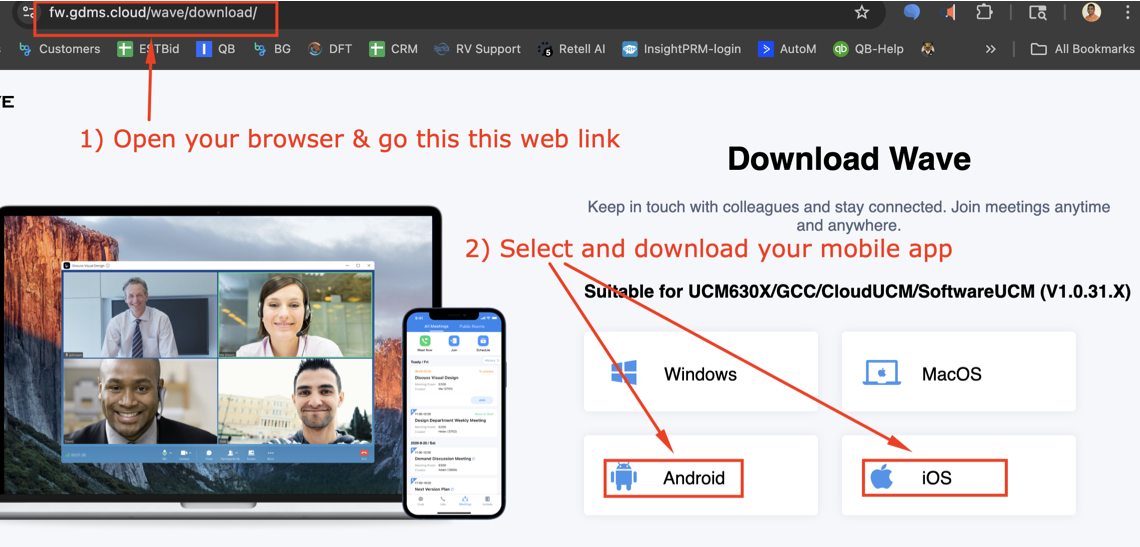
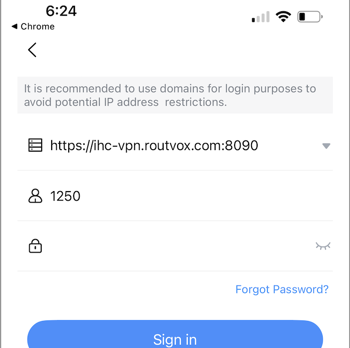
1) For mobile app, click on this link and download your mobile app (see image below) - https://fw.gdms.cloud/wave/download/
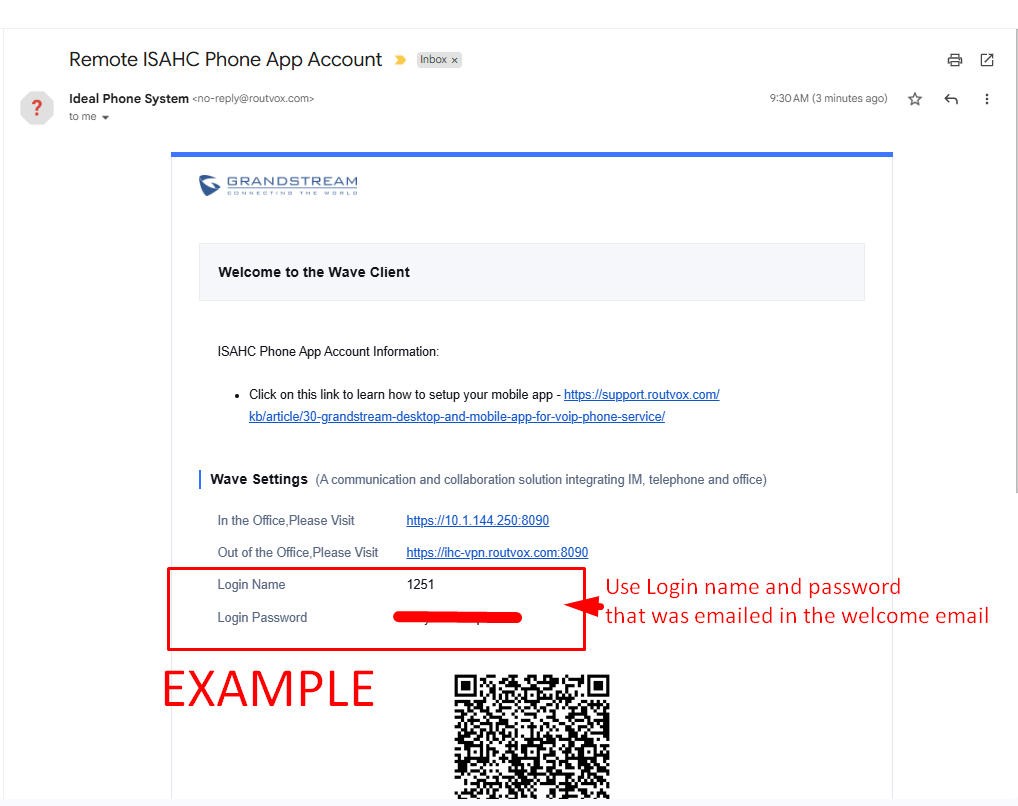
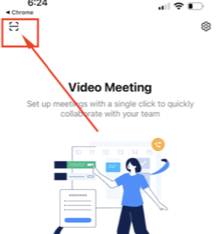
a) When you open your mobile app, enter or scan QR code which was emailed to you.
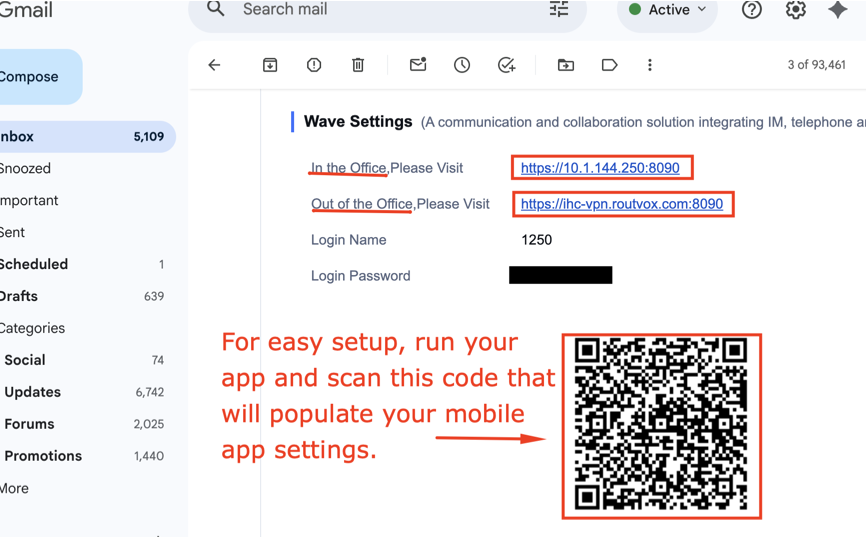
b) Use scan QR code to easy setup
  |
|
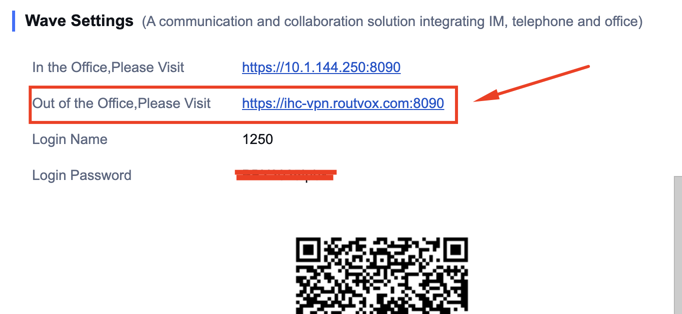
2) For desktop/laptop, we recommend using the browser by going to the "Out the office, Please visit" web link (see image below)
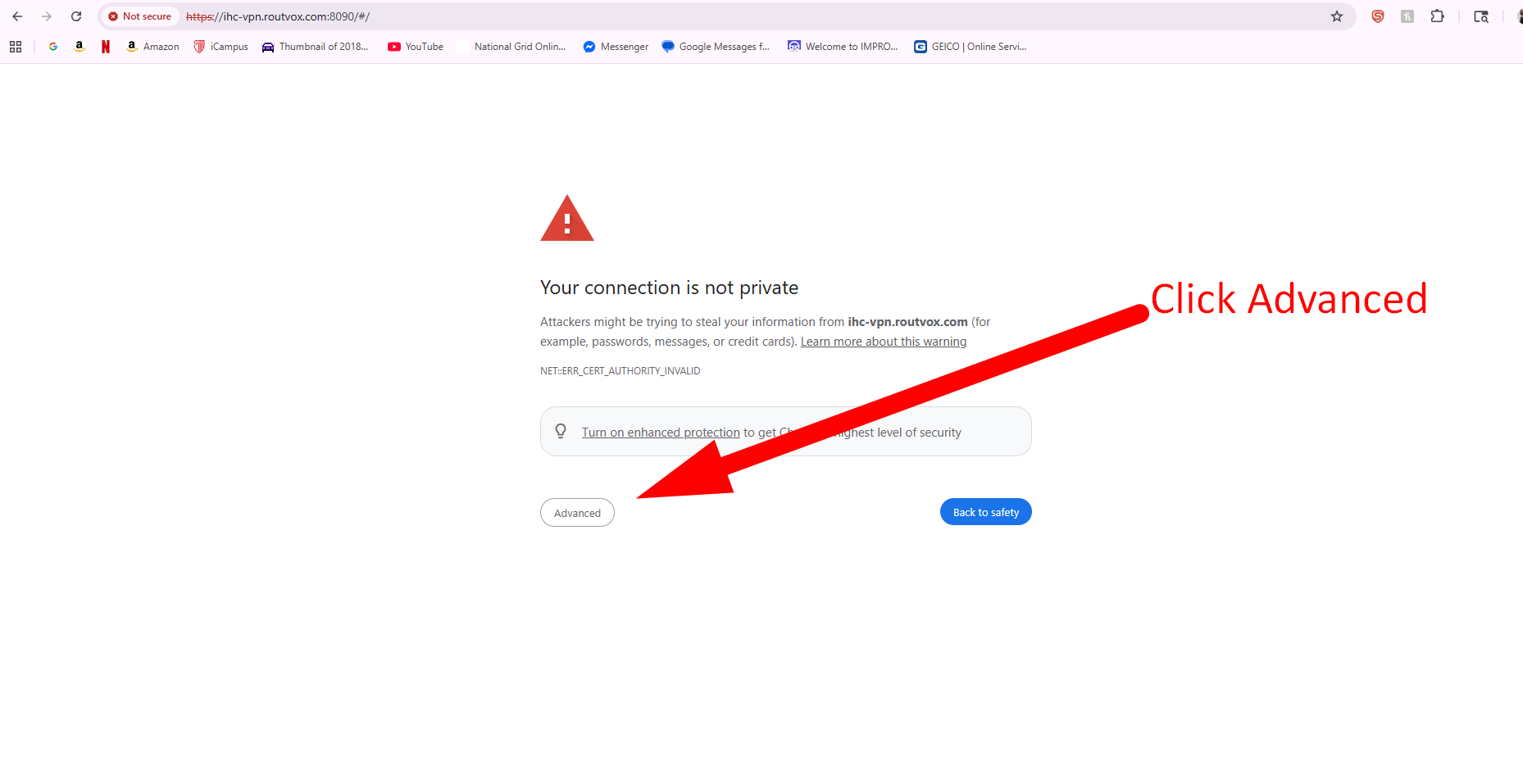
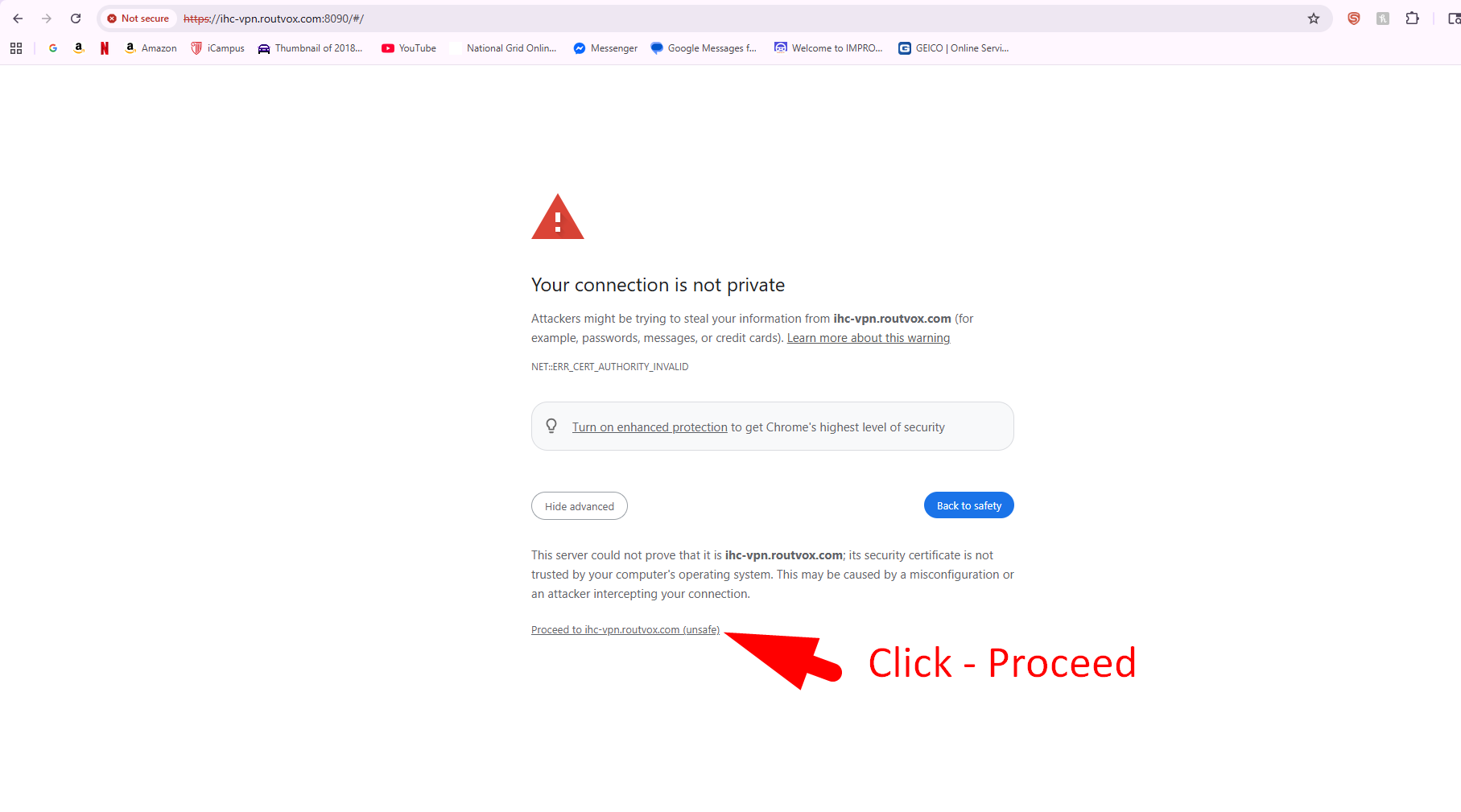
a) You may encounter a screen that says "Your connection is not private", CLICK "Advanced" then "Proceed"
b) Use the your extension for Login Name and password provided that is provided in the email.